One-time purchase
You pay once, at a fixed price. Every future version is included at no additional cost, and the purchase stays with your account rather than with a particular Mac.
See pricingSolidly opens glTF, USD, FBX, OBJ, STL, and PLY files and displays their scene hierarchy, materials, and textures. You can select any part of a model to inspect it or change it.
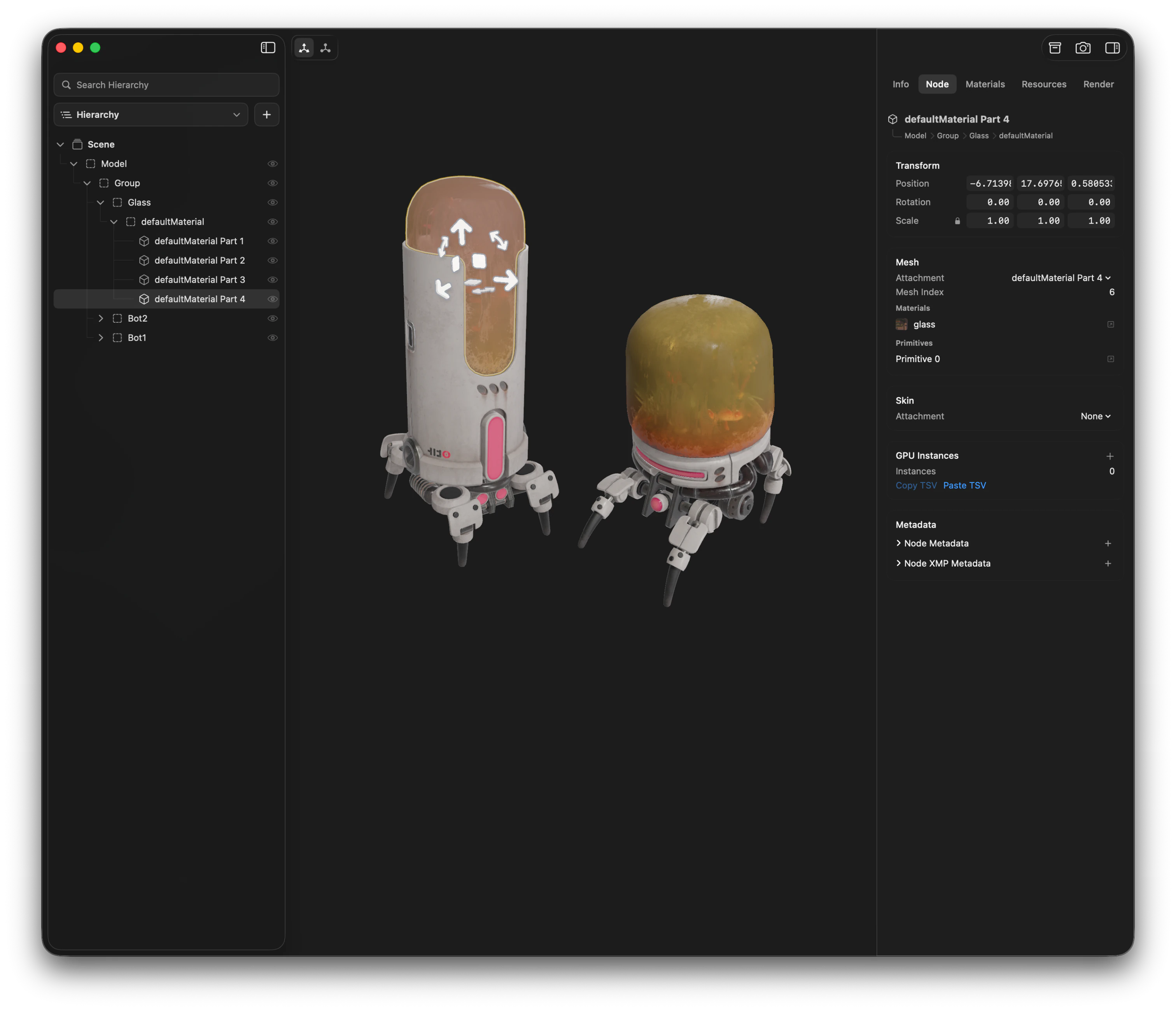
Solidly opens glTF, GLB, USD, USDA, USDC, USDZ, FBX, OBJ, STL, and PLY files. Solidly supports loading single assets or entire folders of assets.
See the format referenceInspection, scene and material editing, material reconstruction, and image rendering run in one native Mac application, across every format Solidly opens.
View the full contents of a 3D file. Scene graph, node transforms, meshes and their vertex attributes, materials and texture bindings, cameras, lights, animation, and metadata. All of it displayed in a user-friendly format.
Fix what’s wrong with a 3D file. Rename and reparent nodes, correct transforms, rebind textures, edit materials and metadata, generate a UV atlas for a mesh missing one, and much more. All savable back in the file’s own format.
Turn a 3D file into an image worth showing. Camera position, field of view, focus and aperture, lighting, and background. All rendered in a selectable resolution as a PNG, JPEG, HEIC, TIFF, or WebP.
FBX and OBJ files often arrive as bare geometry with their textures loose in the folder. Solidly reads those images, works out what each one is, and rebuilds the materials onto the meshes that use them.
Solidly can open and inspect every format listed below. Editing and saving vary from format to format, depending on what the format is able to represent and on what Solidly supports.
| glTF / GLB | USD | FBX | OBJ | PLY | STL | |
|---|---|---|---|---|---|---|
| Read | ||||||
| Open and inspect | Supported | Supported | Supported | Supported | Supported | Supported |
| Edit | ||||||
| Scene hierarchy | Supported | Not supported | Supported | Supported | Not applicable | Not applicable |
| Node transforms | Supported | Not supported | Supported | Supported | Not applicable | Not applicable |
| Materials and textures | Supported | Not supported | Supported | Supported | Not applicable | Not applicable |
| Material reconstruction | Not supported | Not supported | Supported | Supported | Not applicable | Not applicable |
| Metadata | Supported | Not supported | Supported | Supported | Not supported | Not supported |
| Write | ||||||
| Save | Supported | Not supported | Supported | Supported | Supported | Supported |
| Compressed export | Supported | Not supported | Not applicable | Not applicable | Not applicable | Not applicable |
Solidly is a tool you own, not a subscription. Bought once, shaped by the people using it, and written natively for the Mac.
You pay once, at a fixed price. Every future version is included at no additional cost, and the purchase stays with your account rather than with a particular Mac.
See pricingCome join Solidly’s community on Discord. Questions get answered by the team, bugs get reported, and ideas can be suggested for future Solidly updates.
Join the DiscordPowered by an in-house Metal renderer, built for Apple Silicon and tuned for macOS. Models open fast, stay smooth, and preview in Finder through Quick Look. Runs on macOS 26 and later.
Read the FAQSolidly is free to download, and free to open, preview, and photograph all formats supported. The full inspector, editing, saving, and material reconstruction are features of the Solidly Standard edition.
$0
Free download
Solidly opens and previews every format it supports at no cost, reports the basics of what is in the file, and renders images from it.
Download for MacWhat you get
$19.99USD
One-time payment
One purchase adds the full inspector, editing, saving, and material reconstruction, and does not expire.
Buy SolidlyWhat you get
Solidly is not a modeling application. It provides no vertex editing, sculpting, retopology, rigging, or animation authoring. It operates on files that already exist, opening them, reporting what they contain, correcting errors in them, and rendering images from them.
Solidly saves a file in the format it was opened from and does not convert between formats. A file opened as an FBX is written back as an FBX.
Solidly opens the interchange formats listed above. Application project files, such as those written by Blender and Maya, and CAD files, which describe surfaces and solids rather than polygon meshes, must be exported to one of the supported formats before Solidly can open them.
Solidly is available for macOS only. It is written in SwiftUI over a Metal renderer and depends on macOS frameworks, and no Windows or Linux build exists.
Solidly is a Mac application. There is no iPadOS or iOS version.
Solidly runs on Apple Silicon Macs with macOS 26 Tahoe or later. It is built for Apple Silicon only, and Intel Macs are not supported.
Models are opened, edited, and rendered locally, and material reconstruction runs on the device. Servers are used only to sign in to an account that holds a purchase.