macOS cannot open STEP (.step) or STP (.stp) files on its own. While Apple's Preview and Finder Quick Look display formats like USDZ, OBJ, and STL, they show only a generic blank icon for CAD files.
To open a STEP file on a Mac, you need a third-party app. The right tool depends on what you need to do: inspect dimensions and assemblies quickly, modify solid geometry, or send parts to a 3D printer.
Which Mac apps open STEP files?
The best app depends on what you need: inspect and measure a part, edit its CAD features, or print it.
For fast inspection, CAD measurements, and Quick Look: Solidly
Solidly is a native macOS viewer designed for inspecting CAD models on Apple silicon. It processes everything locally on your Mac, so your CAD data is never uploaded to an external cloud server.
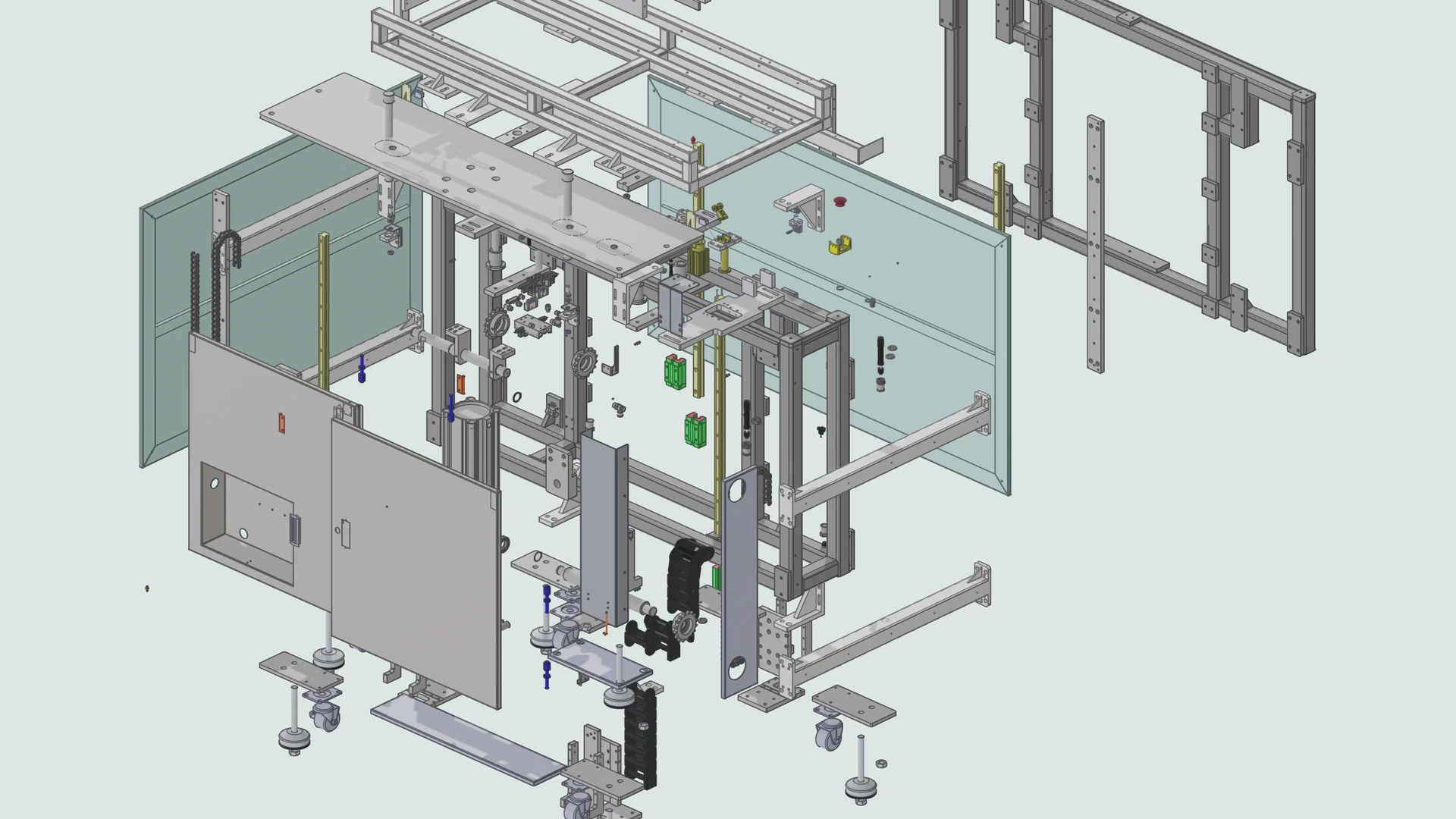
Solidly preserves the assembly hierarchy and part colors, measures exact dimensions from underlying CAD geometry, and includes tools like section cuts and exploded views. It also adds a Finder Quick Look extension, allowing you to preview .step and .stp files in 3D by pressing Spacebar.
For free offline CAD editing and conversion: FreeCAD
To modify solid geometry or convert a STEP file into an STL, OBJ, or GLB mesh for free, FreeCAD is the open-source standard on macOS. It runs entirely offline without an account, keeps the assembly tree and part colors, and gives you a complete parametric modeling workbench. It is much heavier than a dedicated viewer, but it handles full solid modeling and export.
For commercial parametric CAD: Autodesk Fusion and Onshape
For commercial design and engineering work, Autodesk Fusion and Onshape provide full parametric modeling, assembly management, and drawing tools:
- Autodesk Fusion is a desktop Mac app paired with Autodesk's cloud storage. It requires an account, syncs files to the cloud, and restricts commercial features on its personal free tier.
- Onshape runs entirely in the browser without installing local software. It requires an account and stores all models in the cloud. On its free tier, all documents are publicly visible.
For 3D printing: Bambu Studio, Orca Slicer, and PrusaSlicer
You do not need to convert a STEP file to STL before 3D printing it. Modern slicers like Bambu Studio, Orca Slicer, and PrusaSlicer import .step and .stp files directly. On import, the slicer meshes the CAD surfaces into triangles based on your slicer settings so it can slice layers and generate toolpaths.
How do you open a STEP file in Solidly?
- Open the App Store, search for Solidly, and click Get. Once it is installed, click Open.
- Click Start Free Trial when Solidly asks. The trial lasts 30 days and does not need a card.
- Click Open Model and choose the
.stepor.stpfile, or drag the file from Finder onto the Solidly window. - Drag in the viewport to rotate the model, and scroll to zoom in and out.
The video below follows these steps and then shows the exploded view, the section view, measuring, the orthographic view, and the Quick Look preview in Finder.
Why does a STEP file take a while to open?
Unlike mesh formats like STL or OBJ that store pre-calculated triangles, a STEP file stores mathematical descriptions of shapes: planes, cylinders, cones, and NURBS curves. Because graphics cards only render triangles, a viewer has to evaluate each surface and tessellate it into a triangle mesh before displaying it.
Why does my STEP file open on its side?
Most mechanical CAD programs (like SolidWorks and Fusion) treat the Z axis as up, while macOS and general 3D viewers treat the Y axis as up. Without automatic reorientation, a Z-up model lands on its side. Most viewers and slicers include a quick rotation control to tip the part 90 degrees upright.
How do you open an IGES file on a Mac?
IGES files (.iges and .igs) are an older CAD exchange format that macOS cannot open natively. Solidly, FreeCAD, Autodesk Fusion, and Onshape all open IGES files, while slicers like Bambu Studio and PrusaSlicer do not. Because IGES exporters often save parts as disconnected surface patches, Solidly's IGES viewer automatically analyzes matching edges and joins them into solid bodies in the sidebar.
Frequently asked questions
Can I convert a STEP file to STL on a Mac?
Yes. If you need an STL for 3D printing, slicers like Bambu Studio, Orca Slicer, and PrusaSlicer can open a STEP file and export the plate or parts as STL. For standalone CAD conversion to STL, OBJ, or GLB, FreeCAD can open the file and export polygon meshes for free.
Can Blender open STEP files?
Not natively. Blender is a polygon mesh editor and has no built-in STEP importer. To bring a STEP file into Blender, convert it to a polygon format like STL, OBJ, or GLB in FreeCAD first, or install a community STEP importer add-on.
What is the difference between STEP and STP?
There is no difference. Both .step and .stp are file extensions for the exact same ISO 10303-21 CAD format. Some CAD systems default to the three-letter extension, while others use the four-letter version.